docket
A Claude Code mod that keeps Claude's open questions, confirmations and hand-offs in numbered lists beside the chat, so you can answer in a word or a click and nothing gets missed.
/plugin marketplace add StoneCypher/docket/plugin install docket@docketRun them one at a time at the prompt of a Claude Code session, then pick a scope.
If your docket is closed, type /docket to show it.

Hi. I'm John. I love working with Claude, but it moves very fast, and I tend to miss questions. /docket is my way to help Claude persist decisions and questions that need to be handled, so that we can work together more fluidly. I find that working with a docket speeds me up sometimes by triple or more, and makes the process easier and more fun for me. I hope that it works for you too.
The point is to make things easier.
Claude's open threads, in one pane
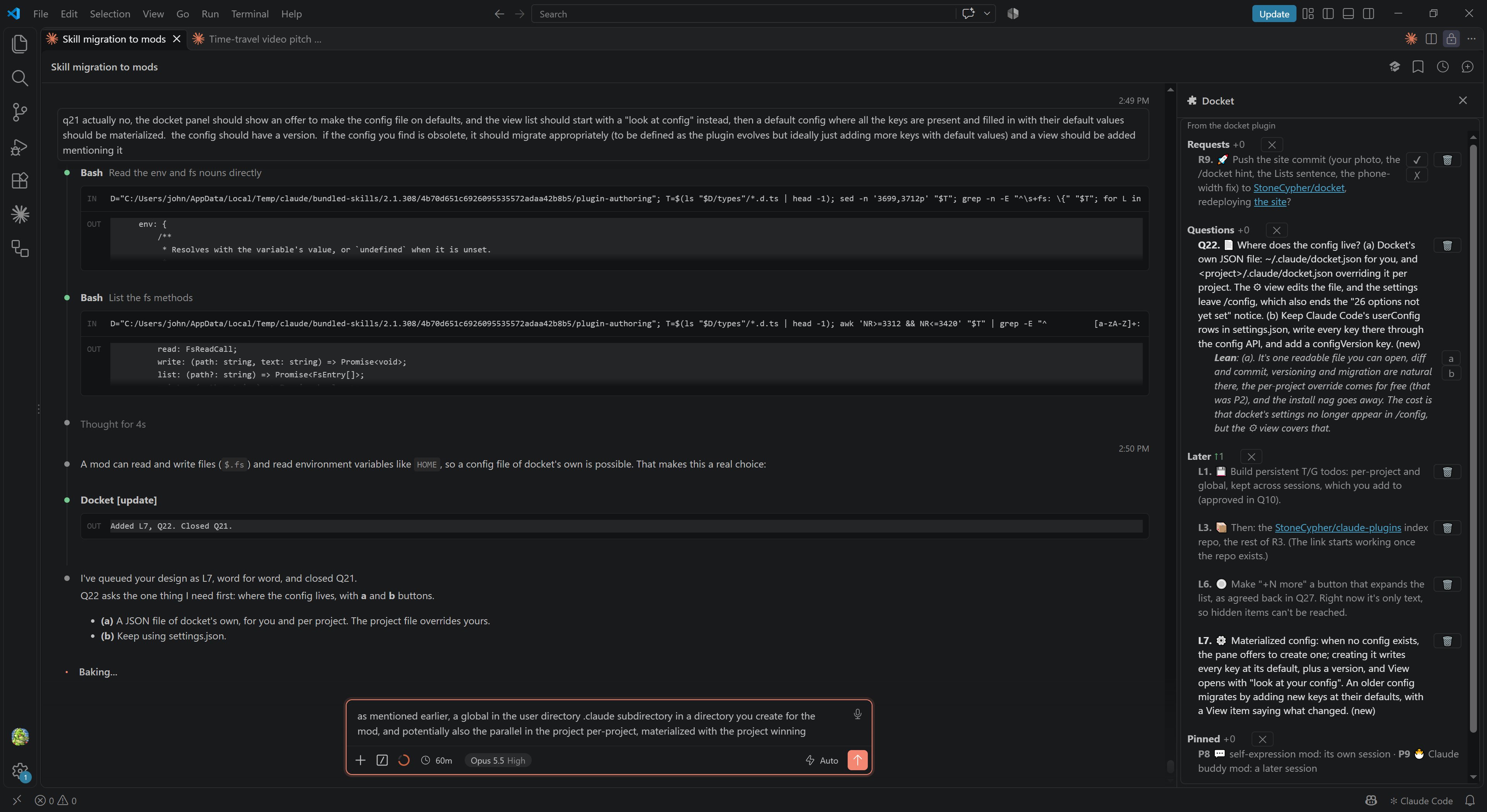
docket keeps everything open between you and Claude in a pane beside the chat: what it wants to do, what it needs you to decide, what it is working on, what comes later, and what is parked.
Each item has a letter and a number that never changes meaning, so Q12 is the same question ten turns from now. The most important list is on top. Items that changed this turn are bright and marked (new); everything you have already seen is dimmed.
Questions come with a lean
Every question carries a lean: the answer Claude would pick if you left it up to it. When the lean is right, press ✔. When it is wrong, press ✗ and Claude asks what you want instead.
When every lean on screen is right, Accept all leans settles them all in one press.
Your answer shows at once
Pressing a button sends your answer as a prompt, and the row changes immediately: dimmed, struck through, its buttons replaced by a plain mark of what you sent. You can stop thinking about it.
Claude then settles it on its next turn: the row goes away, comes back changed, or its work moves to Underway. If that takes a while, the row hides itself about 20 seconds after you answered.
Choices get their own buttons
When a question offers up to three choices, each one gets a button in place of ✔ and ✗. Labels are a single letter or a single emoji, and each appears in the question text beside the choice it picks.
Pressing b sends “Q17 (b).”
Requests and confirmations
Requests are things Claude wants to do on its own initiative. It waits for your ✔, so nothing happens behind your back.
Confirmations are Claude checking that it read you right, or making sure you know something risky is coming. It states its reading, so a ✔ settles it.
Clearing, and nothing vanishing unseen
🗑️ clears one item and ✕ on a heading clears the whole list. Clearing only empties the display: it never cancels work, answers a question or approves a request.
When Claude closes something you did not resolve yourself, it stays up struck through in gray for a few minutes, and Claude says so in chat. Nothing disappears without your seeing it.
The lists
Most of them won't show at any given time: a list only appears when it has something in it.
| Letter | List | What's in it |
|---|---|---|
| R | Requests | Things Claude wants to do on its own initiative. It waits for your ✔. |
| Q | Questions | Decisions only you can make, each with Claude's lean. |
| C | Confirm | Claude checking it read you right, or warning of something risky. |
| N | Needs you | Things only you can do: consoles, accounts, sign-ins. |
| V | Verify | Things for you to check: that a change works, reads right or looks right. |
| U | Underway | Claude's work in progress. |
| L | Later | Claude's work that's decided but not started, in order. |
| W | Waiting | Stalled on something other than you. |
| P | Pinned | Parked for later, on one line. |
Answering by label
You can also answer in the chat, by label. Ranges work, and so does answering everything at once.
q18 no, let's do this other thing; accept all other leans
c23-c25 confirmed
approve r4
Settings
Settings live in ~/.claude/docket/config.json, with every setting written out. A project can have its own .claude/docket/config.json, which wins. The first time it runs, docket offers to create yours with the defaults. Edit the file directly, or use ⚙ at the bottom of the pane.
language: English, Spanish, Japanese or German; by default, whichever Claude Code is set to. Speak another? Help translate docket.display: a pane beside the chat (the default), or a band above the prompt- A cap for each list, 7 by default, before
+N more - Colors for items and leans, as hex or theme keys
- Emoji on or off, overall, for headings, or per list, and how stakes markers show
- Which lists draw on one line, and soft word limits per list
- How long answered and auto-closed items stay up